
EventOxygen covers an event from the moment you publish it to the analytics afterwards. Attendees get an app that is their ticket, schedule and networking directory. Staff get scanning, accreditation and a live view of who is in the room.
It is a standalone brand — attendees see EventOxygen, not Appmint — while running on the same backend as the rest of the platform, so leads captured from badge scans land straight in your CRM.
Who it is for, and how you get started
EventOxygen is self-serve, in the way Eventbrite is: you do not need Appmint to run your event for you.
- Sign up for an organization on Appmint. Everything below is scoped to that organization.
- Configure events in the admin — event record, sessions, ticket types, zones and scan points, badge templates. See Event setup.
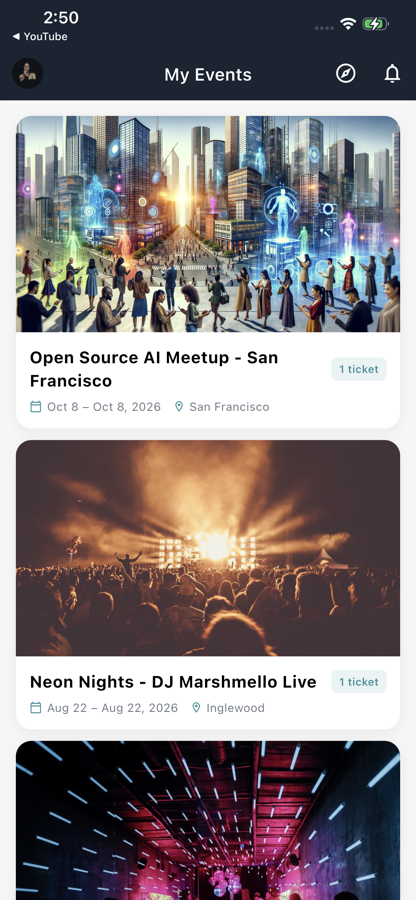
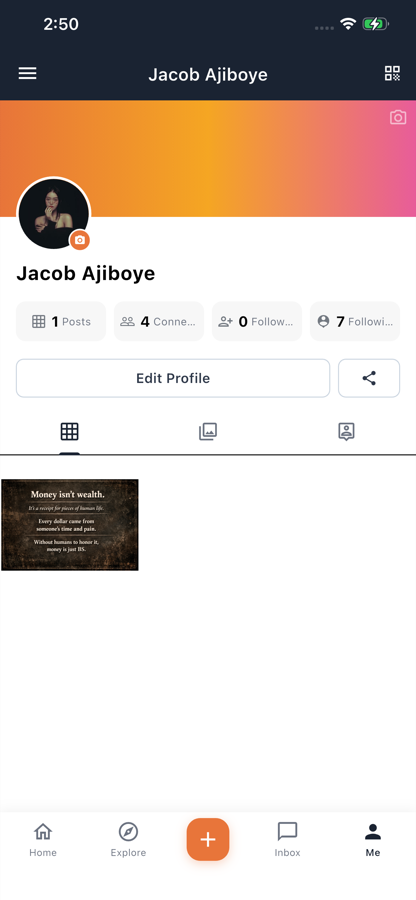
- Attendees use EventOxygen from the App Store or Google Play. Their ticket, schedule, networking and feed are all in it.
- Staff use Appmint Mobile on event day — scanning, check-in, will-call, the live numbers. See Event-day operations.
- Optionally ship your own build. The app is a Flutter project you can rebuild under your own name and identifiers: display name and bundle/application id (Release → Identifiers), the backend endpoint, app credentials and organization id per environment (Environment), and the colour theme (Architecture → Theme). Those are the customization points that exist in the code today; there is no runtime theming or per-organization branding switch.
That works for running your own events and equally for an agency running events for clients: one organization per client, the stock EventOxygen app or a white-labeled build for their attendees, Appmint Mobile for the crew.
Getting it
| iOS | App Store — free |
| Requires | iOS 13.0+, iPadOS 13.0+ |
| Also runs on | Mac with Apple silicon, Apple Vision |
| Android | Google Play |
Attendees download it free. Nothing is charged to them — organizers are billed for the event.
For attendees
Guides
For organizers and staff
The ticket is in the app. Attendees open their ticket for a fresh QR (codes are signed and rotate), and can pin one ticket so it sorts first in the wallet. There is no Apple Wallet pass today, so remind people to open the ticket once while they still have signal.
Check-in and occupancy. Scanning records both check-in and check-out, so occupancy is a live count per zone rather than a cumulative total. That is the number that matters when you have a capacity limit.
Accreditation and zones. Zone-based access control decides who may enter where. Scans are logged with the device that made them, giving an audit trail rather than a headcount.
Credentials. Import a range of pre-printed wristband or RFID codes ahead of time, then assign them to attendees on arrival, and revoke individual codes if one goes astray.
Badges. Generate a badge from a template and mark it printed, so a second badge cannot be issued against the same ticket.
Will-call. Look an attendee up by name or reference, then fulfill — for people who bought but never opened the app.
Live dashboard. Real-time occupancy, check-in statistics and zone monitoring while the event runs.
Ticketing
Tickets can be sold, comped without payment, or pre-generated in a batch and activated later — which is how you produce physical stock before you know who will buy it.
Once issued, a ticket can be transferred to someone else, cancelled or refunded. Purchases are grouped as a booking, so cancelling a four-ticket order is one action rather than four.
Perks
Tickets can carry perks — drink tokens, meal vouchers, merchandise. A perk is claimed by the attendee and fulfilled by staff, recorded as two separate steps so both halves are accounted for.
Scanning checks with the server that a ticket has not already been used elsewhere at the same moment. That check cannot happen offline, so validation waits for a connection rather than accepting a ticket optimistically.
Sessions and speakers
Build a multi-day, multi-track agenda with sessions, speakers and room assignments. Attendees browse it and build a personal schedule; the whole agenda exports to a calendar.
Participants — speakers, exhibitors, staff — are tracked separately from ticket holders, because they attend on a different basis and need confirming rather than selling to.
Leads from badge scans
Exhibitors and sales staff can capture a lead directly from a badge scan. Those leads enter the same CRM pipeline as every other lead — new, contacted, qualified, won — and export to CSV.
This is the part that is usually a separate product and a separate database. Here it is the same lead record your sales team already works.
Running the door
Staff use Appmint Mobile for scanning, accreditation and check-in. The operator's guide, screen by screen and including what is not wired up yet, is Event-day operations. Badge printing goes through the device hub to a printer in the venue.
The event lifecycle
An event moves through publish → live → complete, with cancel available throughout. Publishing makes it discoverable; going live turns on the door-side features; completing it closes the event and settles the analytics.
What it suits
| Event type | Why |
|---|---|
| Conferences and summits | Multi-day, multi-track, thousands of attendees, complex scheduling |
| Workshops and training | Capacity limits, materials, certification |
| Trade shows | Badge scanning, exhibitor lead capture, zone access |
| Community and member events | Feed, networking, recurring attendance |